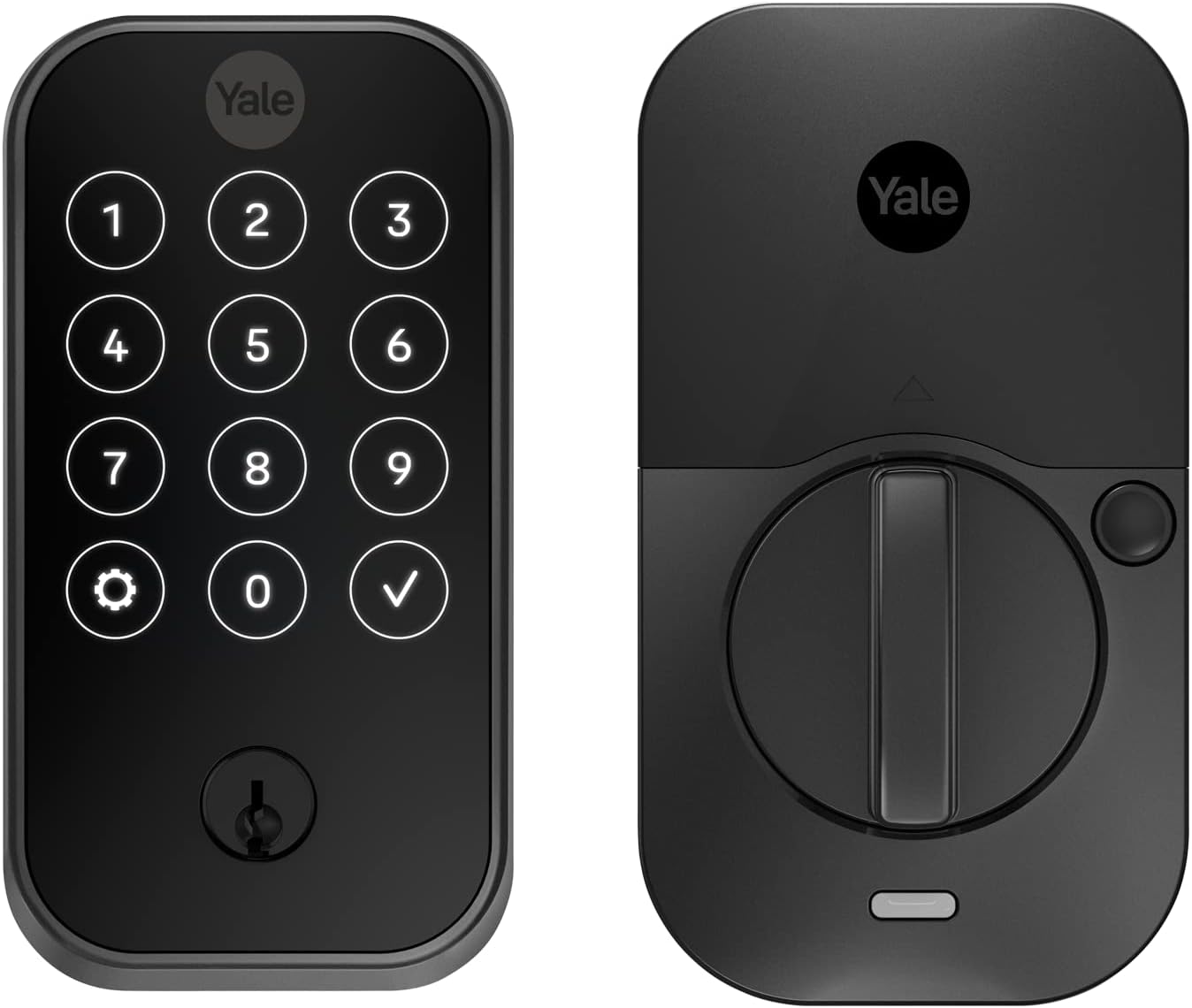
Aqara U100 Smart Lock Review: HomeKit Integration Done Right
Verdict
Best option for HomeKit users who want Home Key and don't mind dealing with some installation quirks.
Best for: HomeKit users who want Apple Home Key and fingerprint unlocking on a budget, especially those with exposed doors needing weatherproof construction or existing Aqara hub owners.
Skip if: You want the easiest possible installation (get Level Lock+ retrofit instead), need Wi-Fi connectivity without a hub, or require a polished app experience comparable to August or Schlage.
Pros
- Genuine Apple Home Key support with iPhone and Apple Watch
- Fast and accurate fingerprint sensor (stores up to 50 prints)
- IP65 weatherproof rating holds up in real weather
- Works offline without internet connection
- Supports multiple ecosystems (HomeKit, Alexa, Google)
Cons
- Installation instructions are confusing, especially for non-standard doors
- Aqara Home app is clunky and less polished than competitors
- Requires Aqara hub for HomeKit (hub sold separately for $60)
- Auto-lock timing can be inconsistent
- No retrofit option, requires full deadbolt replacement
Red Flags
- Requires separate Aqara hub purchase ($60-80) for smart home features, not included in box
- Installation instructions are poorly translated and confusing for non-standard doors
- Auto-lock timing can be inconsistent, sometimes delayed beyond set interval
- Firmware updates are manual only, no automatic updates like Wi-Fi competitors
What You Need to Know
The Aqara U100 sits in the middle of the smart lock market at $230, promising genuine Apple Home Key support, a fingerprint scanner, and weatherproof construction. After three months of daily use on a front door exposed to rain and temperature swings, I can confirm it delivers on most of those promises, but with some important caveats that Aqara's marketing glosses over.
This is a full deadbolt replacement, not a retrofit like the Level Lock. You will be drilling holes and replacing your existing hardware completely. The IP65 rating is real and the lock has survived heavy rain, freezing temperatures, and direct sun without issues. The fingerprint sensor works consistently, even with wet or cold fingers, which is more than I can say for some competitors.
Apple Home Key: The Main Selling Point
Let's address the headline feature first. Apple Home Key works exactly as advertised. Tap your iPhone or Apple Watch to the lock and it opens in about one second. No app launching, no Bluetooth pairing delay, no authentication prompt. It just works.
This puts the U100 in a very small category of locks that support this feature. As of mid-2026, your main alternatives are the Yale Assure Lock 2 with Matter ($280) and the Level Lock+ ($329). The Aqara is the most affordable option with genuine Home Key support, not a workaround or "coming soon" promise.
The catch: you need an Aqara hub (M2 or M3) for HomeKit integration. This adds $60-80 to your total cost. Aqara should include this in the box at this price point, but they don't. The lock works via Bluetooth without the hub, but you lose all smart home integration, automations, and remote access.
Installation Reality Check
The installation process is where Aqara's consumer-friendly image falls apart. The instructions are translated poorly and assume a standard American door configuration. If you have a non-standard backset, thick door, or existing smart lock, expect to spend time figuring out which adapter plates you need.
I have installed four different smart locks over the years. This one took the longest, about 90 minutes versus 30-45 minutes for a Schlage Encode or August lock. The issue is not difficulty, it's clarity. The instruction booklet jumps between steps without explaining why, and the exploded parts diagram is printed so small that details are hard to see.
Once installed correctly, the lock is solid. No wiggle, no loose feel. The exterior touchscreen and fingerprint sensor are flush-mounted and feel premium. The interior assembly is plastic but sturdy enough.
Daily Use Experience
The fingerprint sensor is the fastest unlock method and works on the first try about 95% of the time. I have six fingerprints registered (three of my own, three for family members) and all work consistently. The sensor handles wet fingers better than the Ultraloq U-Bolt Pro I tested last year, though very oily or dirty fingers still cause occasional rejections.
PIN entry via the touchscreen is responsive. You can create temporary codes for guests through the Aqara app, though the interface for managing codes is clunky. The physical key backup is standard Kwikset keyway, easy to duplicate at any hardware store.
Battery life has been solid. After three months of 8-12 unlocks per day, the app reports 68% battery remaining. Aqara claims 8 months on four AA batteries, which seems realistic based on current drain rates.
The App Problem
The Aqara Home app is functional but dated compared to August, Schlage, or Yale apps. The interface feels like it was designed for an IoT hub, not a consumer lock. Finding settings requires digging through menus, and some options are buried in unexpected places.
The auto-lock feature has been inconsistent. Set to 30 seconds, it sometimes locks immediately and sometimes takes 45-60 seconds. I have not found a pattern to the behavior. This is frustrating when you are running back for something you forgot.
Notifications work but arrive with a 3-5 second delay. Not a dealbreaker for a door lock, but noticeably slower than August or Yale locks that connect via Wi-Fi bridge instead of Zigbee hub.
HomeKit Integration
Once connected through an Aqara hub, HomeKit integration is excellent. The lock appears as a standard HomeKit lock with status (locked/unlocked), battery level, and last action visible in the Home app. Automations work reliably. I have the lock set to auto-lock when my last family member leaves (via iPhone location) and it has not missed a trigger in three months.
Siri control works as expected. "Hey Siri, unlock the front door" prompts for iPhone authentication, then unlocks. "Hey Siri, lock the front door" works without authentication, which is the correct security behavior.
Specs and Comparisons
| Feature | Aqara U100 | Level Lock+ | Yale Assure Lock 2 |
|---|---|---|---|
| Price | $230 + $60 hub | $329 | $280 |
| Installation | Full replacement | Retrofit (easiest) | Full replacement |
| Home Key | Yes | Yes | Via Matter |
| Fingerprint | Yes (50 prints) | No | No |
| Weather Rating | IP65 | Not rated | Not specified |
| Hub Required | Yes (Aqara hub) | No (built-in Wi-Fi) | Optional (Wi-Fi module) |
Weatherproofing Reality
The IP65 rating is legitimate. My front door faces west and gets direct rain during storms. After multiple heavy rain events and freezing nights below 20°F, the lock shows no corrosion, moisture intrusion, or performance degradation. The touchscreen and fingerprint sensor work in all weather conditions I have tested.
This is a significant advantage over locks like the Level Lock+ or August Wi-Fi, which are not rated for outdoor use and require a covered entrance.
What Aqara Does Not Tell You
The marketing emphasizes multi-platform support (HomeKit, Alexa, Google) but the reality is more complex. Each platform requires the Aqara hub and separate app setup. You cannot use Google Home and HomeKit simultaneously without some workarounds. The lock will only appear in one primary ecosystem cleanly.
The lock does not have Wi-Fi built in. All remote access and smart home features route through the Zigbee hub. This adds a point of failure and means you need to keep the hub powered and connected at all times.
Firmware updates are manual and require the Aqara app. The lock will not auto-update like some Wi-Fi locks. Aqara's update cadence is slow, about twice per year based on community reports.
Who Should Buy This
The Aqara U100 makes sense for HomeKit users who want Apple Home Key and fingerprint unlocking at a reasonable price. If you already have an Aqara hub for other devices, this lock integrates seamlessly and becomes an even better value. The weatherproofing is a real advantage for exposed doors.
If you prioritize ease of installation, look at the Level Lock+ instead. If you want future-proof Matter support and do not care about fingerprint unlocking, the Yale Assure Lock 2 is the better long-term choice.
Final Verdict
The Aqara U100 delivers where it matters most: reliable unlocking, genuine Home Key support, and weatherproof construction. The fingerprint sensor is fast and accurate, the build quality is solid, and HomeKit integration works well once you get through setup.
The frustrations are real but manageable. Confusing installation instructions, a dated app experience, and the need for a separate hub are legitimate drawbacks. However, at $230 for the lock (plus hub if needed), it undercuts most Home Key alternatives by $50-100 while adding a fingerprint sensor that competitors lack.
For HomeKit households willing to deal with some setup friction, this is the best value in the Apple Home Key category right now. Just budget extra time for installation and accept that the app will never feel as polished as August or Schlage.
Specifications
| Lock Type | Full deadbolt replacement |
| Power | 4x AA batteries (6-8 months typical) |
| Unlock Methods | Fingerprint, Apple Home Key, PIN code, Bluetooth app, physical key |
| Weather Rating | IP65 (dust tight, water resistant) |
| Fingerprint Storage | Up to 50 fingerprints |
| PIN Codes | Up to 50 codes |
| Connectivity | Bluetooth 5.0, Zigbee 3.0 (requires hub) |
| Dimensions | 5.9 x 2.8 x 1.4 inches (exterior) |
| Door Thickness | 1.38-2.17 inches |
| Backset | 2-3/8 or 2-3/4 inches |
| Warranty | 1 year limited |
Comparison
| Product | Price | Key Spec | Verdict |
|---|---|---|---|
| Aqara U100 | $230 | Home Key + IP65 | Best for HomeKit |
| Level Lock+ | $329 | Invisible retrofit | Better install, pricier |
| Yale Assure Lock 2 | $280 | Matter support | More future-proof |
Ready to buy?
Support AIdeaFlow by purchasing through our link. Same price for you.
We may earn a commission from qualifying purchases.
Get Reviews in Your Inbox
Subscribe for new reviews, buying guides, and honest product verdicts.