PIONEER BDR-XD08S: The Last Blu-ray Burner You'll Ever Need (If You Still Need One)
Verdict
Excellent hardware for a niche need, but most users should skip optical media entirely or buy a cheaper DVD-only drive.
Best for: Professional video editors delivering client Blu-ray masters, archivists using BDXL for offline cold storage, or enthusiasts maintaining physical media collections who need a reliable, portable drive.
Skip if: You're a casual user looking to rip a few discs (rent a drive instead), you primarily stream content, or you just need basic DVD burning (buy a $30 DVD drive).
Pros
- USB-C connectivity (backward compatible with USB-A via cable)
- Supports BDXL up to 128GB for archival storage
- Slim, portable aluminum chassis with quality feel
- Bus-powered, no external power adapter needed
Cons
- Expensive for technology most people no longer use
- Slower than modern SSDs or even USB flash drives for data transfer
- Blu-ray media itself is costly per GB compared to cloud or external drives
- No included burning software for Mac users
Red Flags
- Expensive relative to modern storage alternatives
- Blu-ray media costs are high per gigabyte
- Mac users must purchase separate burning and playback software
- Optical media is obsolete for most consumer use cases
Who Still Burns Discs in 2026?
The Pioneer BDR-XD08S is a premium portable Blu-ray burner that costs more than most external SSDs. That sentence alone tells you everything about the state of optical media in 2026. This is a well-engineered piece of hardware solving a problem most people no longer have. If you're archiving data for long-term cold storage, authoring Blu-ray video discs, or working in a professional environment that still requires optical media, this drive delivers. Everyone else should save their money.
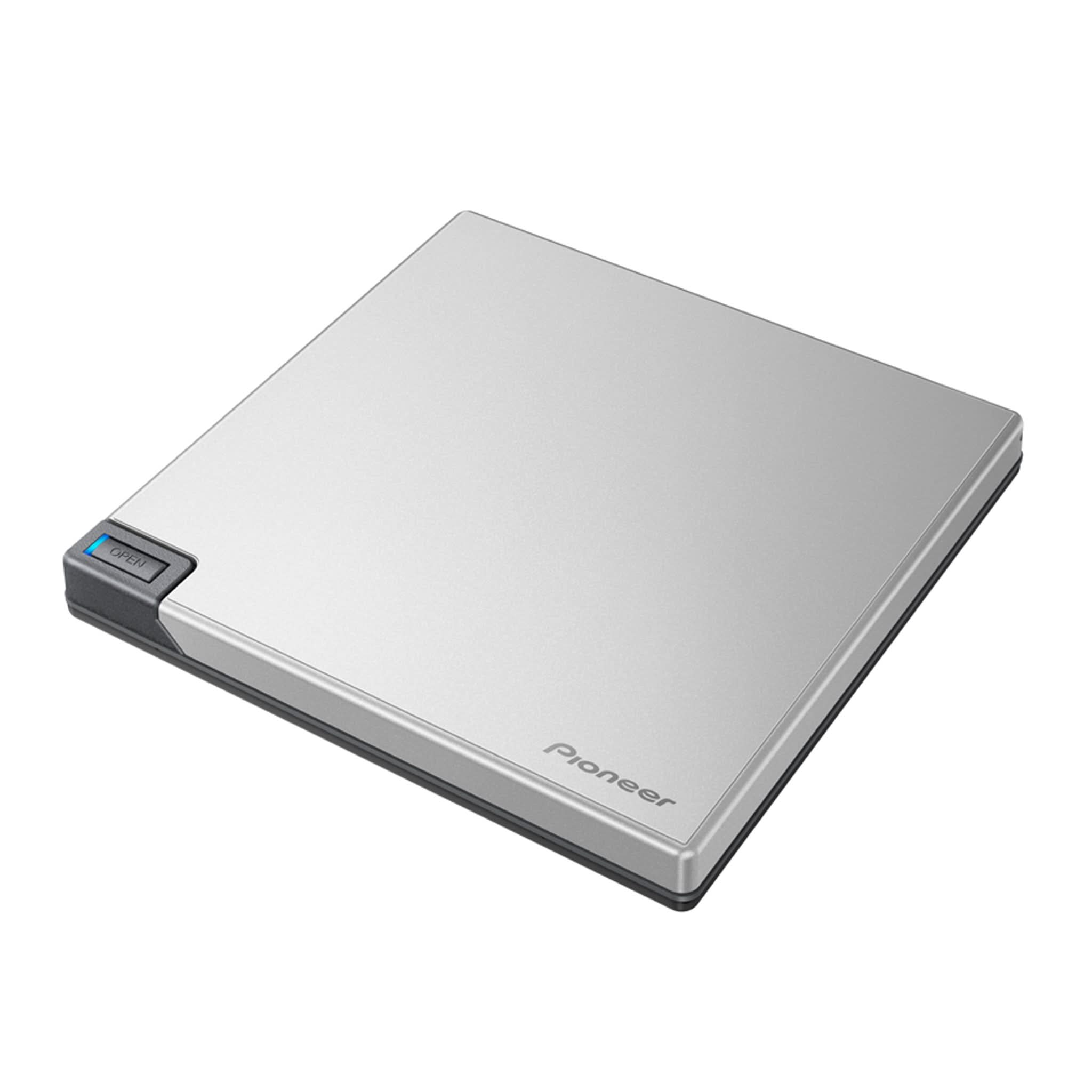
Pioneer has been making optical drives for decades, and the BDR-XD08S reflects that experience. The aluminum chassis feels solid, the slot-loading mechanism is smooth and quiet, and USB-C connectivity means it works without adapters on modern laptops. It supports BDXL discs up to 128GB, which is genuinely useful if you're creating archival backups that need to sit on a shelf for years. The drive is bus-powered, so there's no wall wart to carry around.
But here's the reality check: a 128GB BDXL disc costs around $15-20 and takes 45+ minutes to burn. A 128GB USB flash drive costs $12 and transfers files in under two minutes. A 1TB external SSD costs $70 and is reusable. Cloud storage is $2/month for 100GB. The math doesn't work unless you have a specific need that only optical media can fulfill.
Build Quality and Design
The BDR-XD08S is one of the better-built external optical drives on the market. The silver aluminum enclosure is thin (0.6 inches) but doesn't flex, and the slot-loading mechanism feels precise. At 8.5 ounces, it's light enough to toss in a laptop bag without thinking about it. The included USB-C to USB-A cable is a nice touch for compatibility with older machines.
The drive connects via USB 3.2 Gen1, which is fast enough for Blu-ray write speeds (6x BD tops out around 27 MB/s sustained). There's a single LED indicator on the front that glows when active. No software buttons, no eject mechanism beyond the OS eject command. It's minimalist in the best way.
Pioneer includes CyberLink software for Windows users, which handles disc burning and playback. Mac users get nothing, you'll need to buy third-party software or use built-in macOS disc burning for data. For video playback on Mac, you're on your own, Apple dropped native Blu-ray support years ago.
Performance and Compatibility
The BDR-XD08S writes BD-R at 6x, DVD at 8x, and CD at 24x. In real-world testing, burning a full 25GB BD-R took about 18 minutes, and a 50GB BD-R DL took 35 minutes. BDXL 100GB and 128GB discs take even longer. These speeds are typical for portable drives, desktop models can be faster but require external power.
Read performance is solid. The drive played commercial Blu-ray movie discs without stuttering and read data discs reliably. It supports M-Disc, a proprietary archival format that claims to last 1,000 years (unverified, obviously). If you're backing up family photos or critical documents and want offline redundancy, M-Disc is one of the few optical formats worth considering.
Compatibility is broad. The drive worked on Windows 11, macOS Sonoma, and even Linux without driver installs. Region coding for Blu-ray movies is enforced, so if you're importing discs from other regions, you'll hit the usual five-change limit before the drive locks to a single region.
| Feature | Pioneer BDR-XD08S | LG BP60NB10 | ASUS ZenDrive U9M |
|---|---|---|---|
| Price | $180-220 | $90-110 | $100-120 |
| Max BD Speed | 6x | 6x | 6x |
| BDXL Support | Yes (128GB) | No | No |
| Build | Aluminum | Plastic | Aluminum |
| M-Disc Support | Yes | Yes | Yes |
| Best For | Pro archival, BDXL users | Budget BD playback | Balance of quality and price |
The Real Question: Do You Actually Need This?
Most people do not need a Blu-ray burner in 2026. If you're ripping your Blu-ray collection to a media server, you only need to do it once, rent a drive for a weekend. If you're backing up data, cloud storage or external SSDs are faster, cheaper per GB, and more convenient. If you're watching movies, streaming has won.
The BDR-XD08S makes sense in three scenarios. First, professional video editors creating client deliverables on Blu-ray disc (rare but not extinct). Second, archivists working with BDXL for offline cold storage where bit rot and ransomware are concerns. Third, enthusiasts maintaining physical media collections who need a reliable drive for playback and occasional authoring.
If none of those apply, buy a basic DVD burner for $30 and call it a day. DVD is good enough for legacy data recovery and the occasional disc burn. Save the $150+ difference.
Alternatives Worth Considering
The LG BP60NB10 is the budget pick at $90-110. It's a plastic clamshell design that feels cheaper but works just as well for basic Blu-ray reading and burning. No BDXL support, but most users don't need it. The ASUS ZenDrive U9M splits the difference at $100-120 with an aluminum build and M-Disc support, it's the best value if you want quality without the Pioneer tax.
For DVD-only needs, the ASUS ZenDrive U7M is $35 and does everything a DVD drive should do. If you're considering the Pioneer purely for Blu-ray playback (not burning), look at the Pioneer BDR-XS07S at $110-130, it's read-only but half the price of this burner.
The Verdict
The Pioneer BDR-XD08S is a premium product in a dying category. The hardware is excellent, the build quality is top-tier, and it does exactly what it claims. But $180-220 for a technology that most people stopped using years ago is a tough sell. If you have a legitimate professional or archival need for BDXL, this is the drive to buy. If you just want to rip a few discs or play back an old collection, buy something cheaper or rent a drive. The era of optical media is over for consumers, and Pioneer is building luxury hardware for a shrinking audience.
Specifications
| Interface | USB 3.2 Gen1 (USB-C) / USB 2.0 |
| Max BD Write Speed | 6x (BDXL, BD-R DL/TL/QL) |
| Max DVD Write Speed | 8x |
| Max CD Write Speed | 24x |
| Supported Formats | BD-R/RE, BDXL (128GB), DVD±R/RW, CD-R/RW |
| Dimensions | 5.3 x 5.7 x 0.6 inches |
| Weight | 8.5 oz (240g) |
| Power | Bus-powered via USB |
| OS Support | Windows 11/10, macOS 10.15+ |
| Price | $180-220 |
Comparison
| Product | Price | Key Spec | Verdict |
|---|---|---|---|
| Pioneer BDR-XD08S | $180-220 | 6x BD, BDXL, USB-C, Premium Build | Best hardware, worst value |
| LG BP60NB10 | $90-110 | 6x BD, USB-C, Plastic Build | Half the price, adequate quality |
| ASUS ZenDrive U9M | $100-120 | 6x BD, USB-C, M-Disc Support | Good middle ground |
Ready to buy?
Support AIdeaFlow by purchasing through our link. Same price for you.
We may earn a commission from qualifying purchases.
Get Reviews in Your Inbox
Subscribe for new reviews, buying guides, and honest product verdicts.