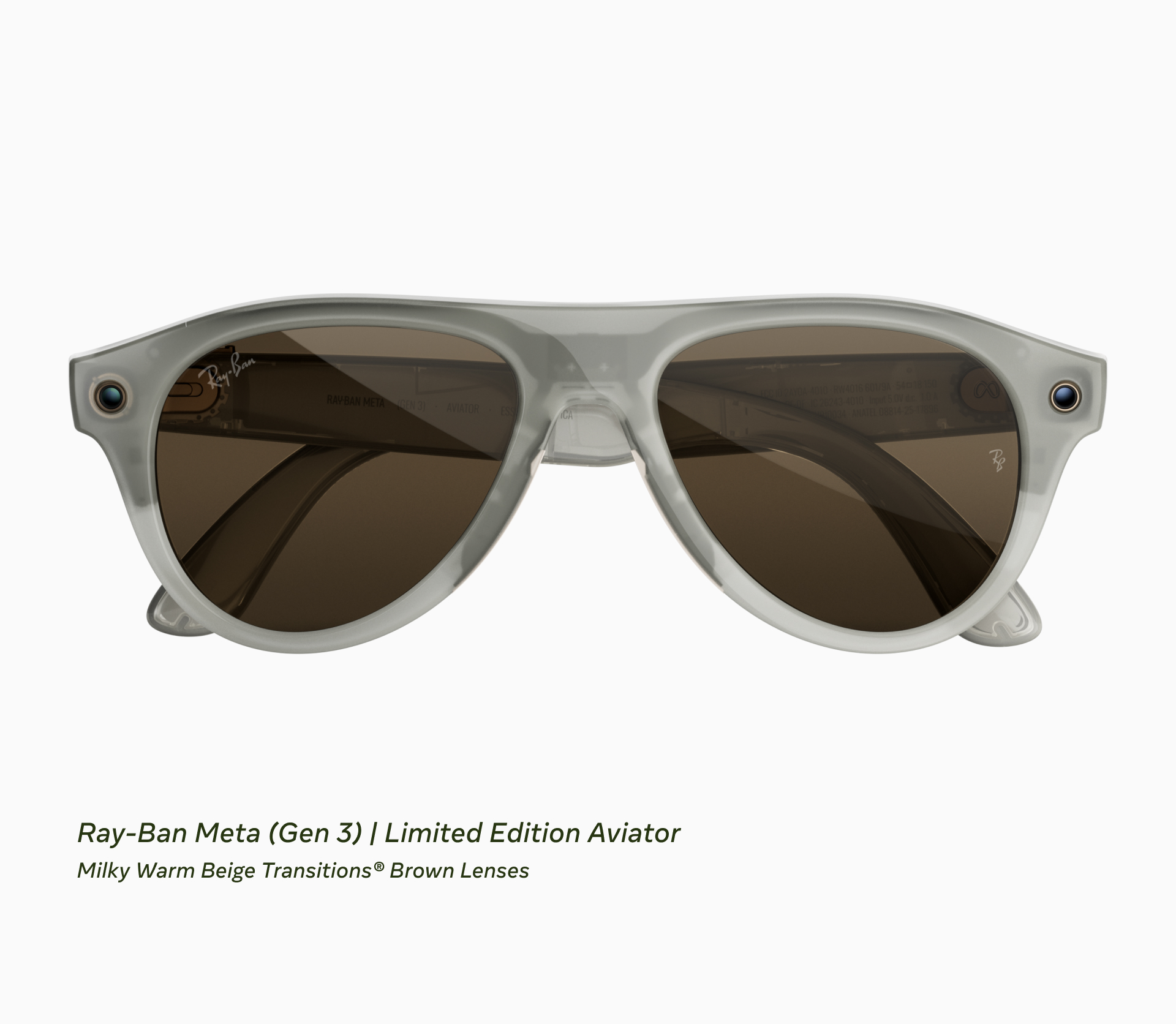
Ray-Ban Meta Gen 3: A $70 Premium for Minor Camera Upgrades You Don't Need
Verdict
The Gen 3 improvements are too incremental to justify upgrading from Gen 2, and new buyers should hunt for Gen 2 closeouts instead.
Best for: First-time smart glasses buyers who want the latest hardware and prioritize hands-free POV photography
Skip if: You already own Gen 2, or you primarily want audio features without spending $449 on a mediocre camera
Pros
- 12MP camera produces sharper images than Gen 2's 5MP sensor
- Nine-hour battery life handles a full day of moderate use
- Customizable action button adds flexibility for power users
Cons
- $70 price increase over Gen 2 for minimal feature gains
- Camera upgrade still lags behind modern smartphones
- Limited appeal for Gen 2 owners who already have the core experience
Red Flags
- $70 price hike for features most users won't notice daily
- Camera still underperforms compared to any modern smartphone
What You're Actually Paying For
The Ray-Ban Meta Gen 3, announced at Meta Connect 2026, costs $449. That's $70 more than the Gen 2's launch price of $379. For that premium, you get a 12MP camera (up from 5MP), nine hours of battery life (up from eight), six microphones instead of five, and a customizable action button. On paper, these sound like meaningful upgrades. In practice, they're marginal improvements that won't transform your experience if you already own Gen 2.
The camera bump is the headline change. The 12MP sensor captures sharper stills and 3K Ultra HD video, a noticeable step up from Gen 2's 5MP output. If you're shooting POV content for social media or capturing quick snapshots during activities where pulling out a phone isn't practical, the extra detail helps. But let's be clear: this is still a tiny lens embedded in glasses, not a replacement for your smartphone's camera. Low-light performance remains weak, and the fixed focal length limits creative control.
Battery life extends from eight to nine hours. That's enough to matter if you're a heavy user who streams music, takes calls, and records video throughout the day. For casual users who primarily want audio and occasional snapshots, eight hours was already sufficient. The extra hour is nice, but it's not the difference between a dead device at lunch and one that lasts through dinner.
The Customizable Action Button: Useful or Gimmick?
The new action button lets you assign shortcuts for camera capture, music playback, or voice assistant activation. It's a thoughtful addition for power users who want faster access to specific functions without voice commands or tapping the frame. However, most users will stick with the default controls they learned on Gen 2. The button doesn't unlock new capabilities, it just rearranges how you access existing ones.
Six microphones instead of five improve call quality and background noise reduction, according to Meta. In real-world use, the difference is subtle. Gen 2's call quality was already solid for outdoor conversations and windy environments. Unless you're regularly taking calls in loud settings like construction sites or busy streets, you won't notice the upgrade.
Design and Frame Options
The Gen 3 ships in three styles: Aviator, Zena, and Wayfarer, with 27 color and lens combinations. The limited-edition Aviator celebrates the frame's 90th anniversary, a nice touch for Ray-Ban collectors but irrelevant to functionality. The build quality remains excellent, matching the Gen 2's sturdy hinge design and balanced weight distribution. If you liked how Gen 2 felt on your face, Gen 3 feels identical.
Meta also introduced the Ray-Ban Meta Audio at $349, a camera-free version for users who only want audio features like calls, music, and voice assistance. For non-photographers, this is the smartest buy in the lineup. You save $100 compared to Gen 3 and still get the core smart glasses experience without the privacy concerns of a front-facing camera.
| Feature | Gen 3 | Gen 2 |
|---|---|---|
| Camera | 12MP, 3K video | 5MP, HD video |
| Battery | 9 hours | 8 hours |
| Microphones | Six | Five |
| Action Button | Yes | No |
| Price | $449 | $379 |
Who Should Buy Gen 3
If you don't own Gen 2 and want smart glasses with a camera, Gen 3 is the current option. The 12MP sensor produces better images than Gen 2, and the longer battery life reduces range anxiety. However, the smarter move is hunting for Gen 2 closeout inventory. Retailers are clearing stock as Gen 3 launches, and you can save $70 for a product that delivers 90% of the Gen 3 experience.
Photographers who rely on POV footage for vlogs, adventure content, or event documentation will appreciate the sharper output. The hands-free form factor remains the core appeal: you can capture moments while biking, hiking, or attending concerts without fumbling for a phone. The Gen 3's improved camera makes those shots slightly more usable for final edits, but it's still supplementary footage, not primary content.
Who Should Skip Gen 3
If you already own Gen 2, there's no compelling reason to upgrade. The camera improvement is noticeable in side-by-side comparisons but doesn't fundamentally change the quality tier. You're still working with a compact lens that struggles in anything but ideal lighting. The battery and microphone gains are incremental, not transformative. Save your $449 for a proper camera upgrade or wait for Gen 4, which will likely bring more meaningful sensor and AI improvements.
Users who primarily want audio features without a camera should buy the Ray-Ban Meta Audio for $349. You get the same call quality, music playback, and voice assistant integration without the $100 camera premium. This is also the better choice if you're concerned about privacy or social perception, as the camera adds a layer of awkwardness in certain settings.
Alternatives Worth Considering
The market for smart glasses remains thin. Amazon's Echo Frames focus on audio without a camera, making them a closer competitor to the Ray-Ban Meta Audio. They cost less but lack the Ray-Ban style and build quality. Snap's Spectacles target AR experiences but remain developer-focused and aren't consumer-ready. For now, the Ray-Ban Meta lineup is the most polished option for combining style, audio, and camera in one wearable.
| Product | Price | Key Spec | Verdict |
|---|---|---|---|
| Ray-Ban Meta Gen 3 | $449 | 12MP camera, 9hr battery | Wait unless you're new |
| Ray-Ban Meta Gen 2 | $379 (closeout) | 5MP camera, 8hr battery | Buy if you find stock |
| Ray-Ban Meta Audio | $349 | No camera, audio-only | Best value for non-photographers |
Final Verdict
The Ray-Ban Meta Gen 3 is a competent product trapped in an awkward pricing position. The $70 increase over Gen 2 delivers real but minor improvements. New buyers get a slightly better camera and longer battery, but Gen 2 owners gain nothing from upgrading. The smarter play is finding Gen 2 closeout deals or opting for the camera-free Audio model if photography isn't a priority. Meta is betting that the 12MP sensor justifies the premium, but the market already proved with Gen 2 that most users care more about the audio and call experience than the camera. Gen 3 refines an already good product without making it essential.
Specifications
| Camera | 12MP photos, 3K Ultra HD video |
| Battery Life | Up to 9 hours (1 hour more than Gen 2) |
| Microphones | Six (up from five in Gen 2) |
| Styles | Aviator, Zena, Wayfarer (27 color/lens combos) |
| Price | $449 (Gen 2 launched at $379) |
| Launch Date | Announced September 23, 2026 |
Comparison
| Product | Price | Key Spec | Verdict |
|---|---|---|---|
| Ray-Ban Meta Gen 3 | $449 | 12MP camera, 9hr battery | Wait unless you're new to smart glasses |
| Ray-Ban Meta Gen 2 | $379 (closeout) | 5MP camera, 8hr battery | Buy if you can find stock |
| Ray-Ban Meta Audio | $349 | No camera, audio-only | Best value for non-photographers |
Sources
Get Reviews in Your Inbox
Subscribe for new reviews, buying guides, and honest product verdicts.